
Why Wi-Fi Problems Are So Common in Small Healthcare Offices
Medical office WiFi problems are one of the most common frustrations in small healthcare offices. In many cases, staff assume the internet provider is the problem, or that the issue is simply part of running a busy practice. In reality, many medical office WiFi problems come from network design decisions that were made years ago and never revisited as the office added more devices, cloud software, and connected systems.
That matters because weak or inconsistent wireless performance affects far more than convenience. In a healthcare setting, healthcare office WiFi issues can slow down scheduling, disrupt access to cloud-based systems, create frustration at the front desk, and make the entire office feel less reliable than it should. Most of the time, these issues build quietly until they start interfering with daily operations. The financial impact of these small Wi-Fi issues is bigger than most practices realize. We broke down what IT downtime actually costs a medical practice across staff productivity, patient throughput, and compliance shortcuts.
If your office has experienced dropped connections, dead zones, or devices that work fine one day and struggle the next, the problem may not be random. It may be a sign that the network no longer fits the way the practice actually operates.
The Number of Connected Devices Has Quietly Increased
Many small medical practices are using far more connected technology than they were even a few years ago. What may have started as a simple office network with a few computers and a printer often grows into something much more demanding over time.
Today, a typical healthcare office may rely on:
- Front desk workstations
- Exam room computers
- Laptops and tablets
- VoIP phones
- Wireless printers and scanners
- Smart TVs or streaming devices
- Mobile devices on staff and guest Wi-Fi
- Cloud-connected medical or administrative systems
That increase in devices creates more demand on the wireless environment. If the network was never redesigned to support that growth, slow WiFi in a medical office becomes much more likely. Offices often do not notice the strain immediately because performance usually declines gradually, not all at once. This is one of the patterns that tends to hide in plain sight, much like the other IT risks that build quietly in small medical offices.
Access Points Are Often Placed for Convenience, Not Coverage
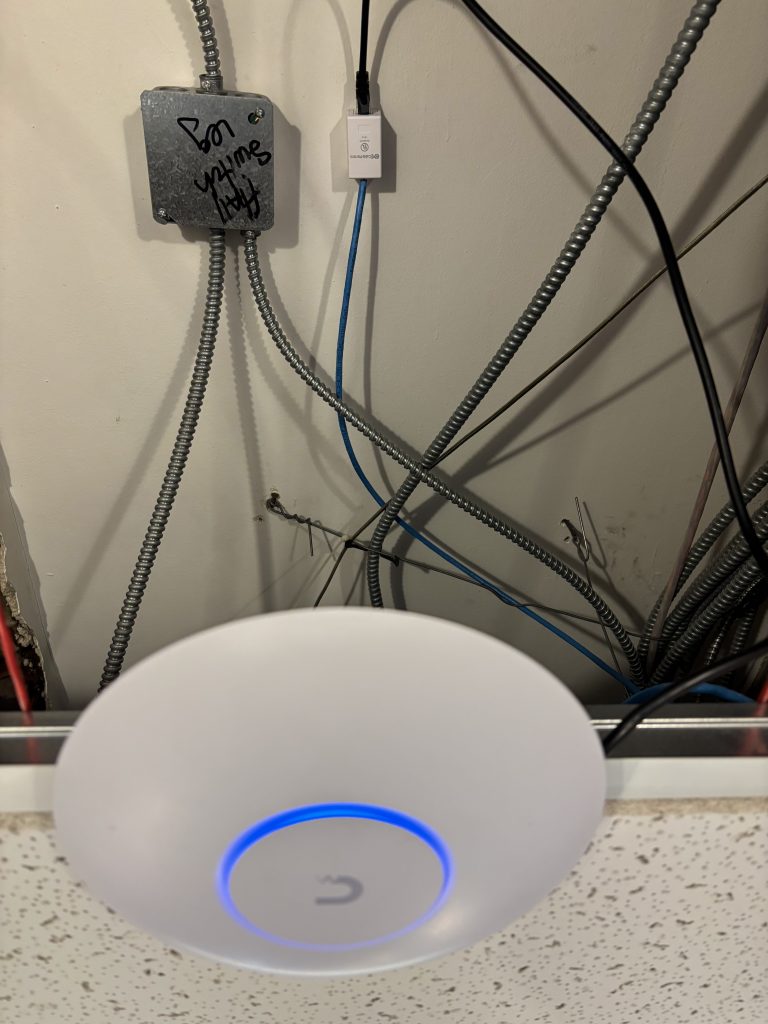
One of the most common causes of medical practice network problems is poor wireless access point placement. In many offices, Wi-Fi equipment ends up wherever it was easiest to install at the time: near the internet handoff, in a utility closet, behind the front desk, or tucked into a corner.
That may work in a small open space, but healthcare offices rarely behave like simple open environments. Exam rooms, hallways, treatment areas, dense walls, and long floor plans all affect how wireless signals travel. A setup that looks fine on paper may leave dead spots or weak coverage in the areas where staff actually need reliable performance.
This is one reason healthcare offices often experience inconsistent results. One room feels fine while another struggles. One device connects easily while another constantly drops. Those patterns are often signs of a coverage issue, not just “bad Wi-Fi.”
Too Many Systems Are Often Sharing the Same Network
Another reason healthcare office network reliability suffers is that too many roles are being handled by the same wireless environment. In smaller offices, it is common for clinical systems, staff devices, printers, phones, televisions, and guest devices to all compete on the same network.
When everything is combined together, the network has to work harder to keep up. This can lead to:
- Slower access to cloud applications
- Unreliable printing
- Dropped phone calls on wireless devices
- Inconsistent performance during busy periods
- Extra troubleshooting when the real issue is network congestion
In many cases, the issue is not that the office needs dramatically more internet speed. The issue is that the internal network is doing too many different jobs at the same time without enough structure behind it.
Wi-Fi Problems Are Often Misdiagnosed
When users complain that something is slow, the first assumption is usually that the computer is old, the internet provider is having issues, or the software vendor is down. Sometimes that is true. But just as often, the real cause is the local network.
In many cases, Wi-Fi issues are harder to troubleshoot because offices already have limited visibility into their IT environment, which makes it harder to understand what is actually changing behind the scenes.
That is what makes medical office WiFi problems frustrating. They do not always present clearly. They may look like workstation problems, printer problems, phone problems, or cloud application problems when the real bottleneck is the wireless environment underneath everything else.
This is also why offices can spend months treating symptoms without addressing the cause. A device gets rebooted, a printer is reinstalled, or a vendor ticket is opened, while the network itself continues to carry more weight than it was built for.
Growth Changes the Network Even When Nobody Notices
Small healthcare offices often evolve faster than their technology planning. A practice adds staff, opens more rooms, moves to more cloud-based systems, adds new printers, or introduces guest Wi-Fi. Each change may feel minor on its own, but together they reshape the demands on the network.
That is why healthcare office WiFi issues often show up in practices that feel stable overall. Nothing dramatic changed last week, but the environment is carrying much more than it was designed to support. Over time, reliability drops and troubleshooting becomes more reactive.
Reliable performance usually comes from periodically reevaluating how the office is actually using technology today, not assuming the original setup still fits current needs.
What Better Wi-Fi Reliability Looks Like
Improving wireless performance does not always mean replacing everything. In many cases, better results start with a clearer understanding of the environment:
- How many devices are actively using the network
- Where coverage is weak or inconsistent
- Proper network segmentatio
- Whether equipment placement still makes sense
- Whether updates, monitoring, and documentation are in place
The goal is not to overcomplicate the office. It is to reduce unnecessary friction. These are the same kinds of fundamentals covered in a basic IT environment review. A more reliable wireless environment helps staff work faster, reduces recurring support issues, and makes day-to-day operations feel more stable.
Why This Matters for Small Healthcare Offices
Technology in healthcare does not have to be perfect, but it does need to be dependable. When Wi-Fi becomes a weak point, the impact spreads quickly across scheduling, communication, printing, and access to the systems the office relies on every day. Unstable wifi at a medical office is not only an inconvenience, it can also cost the practice financially.
Most medical practice network problems are not caused by a single dramatic failure. They usually come from small gaps in planning, coverage, visibility, and structure that build over time. The good news is that these issues are often fixable once they are clearly identified.
If your office has been dealing with inconsistent wireless performance, dead zones, or recurring slowdowns, it may be time to step back and review the broader environment instead of just treating the latest symptom.
I put together a simple IT System Tune-Up Checklist for small healthcare offices that covers core areas like network stability, device health, documentation, access controls, and backup readiness. It is designed to help practices spot common gaps early and reduce technology headaches before they turn into bigger disruptions.
Is Your Network One of the Problems?
The PracticeReady Assessment covers network security, device hygiene, and 5 other critical areas in under 10 minutes. Find out where your practice stands before the next outage.
Take the Free AssessmentOr book a free IT Risk Snapshot for a quick conversation about your network.